
Rahato Official Store — best prices, 10-day replacement & direct WhatsApp support
Shop NowRahato PPM User Manual
Simple step-by-step instructions to power on, connect the app, and wear your Rahato PPM belt comfortably.
How to turn on & connect with the mobile app
Follow these steps in order — from powering the device to controlling heat and massage from your phone.
-
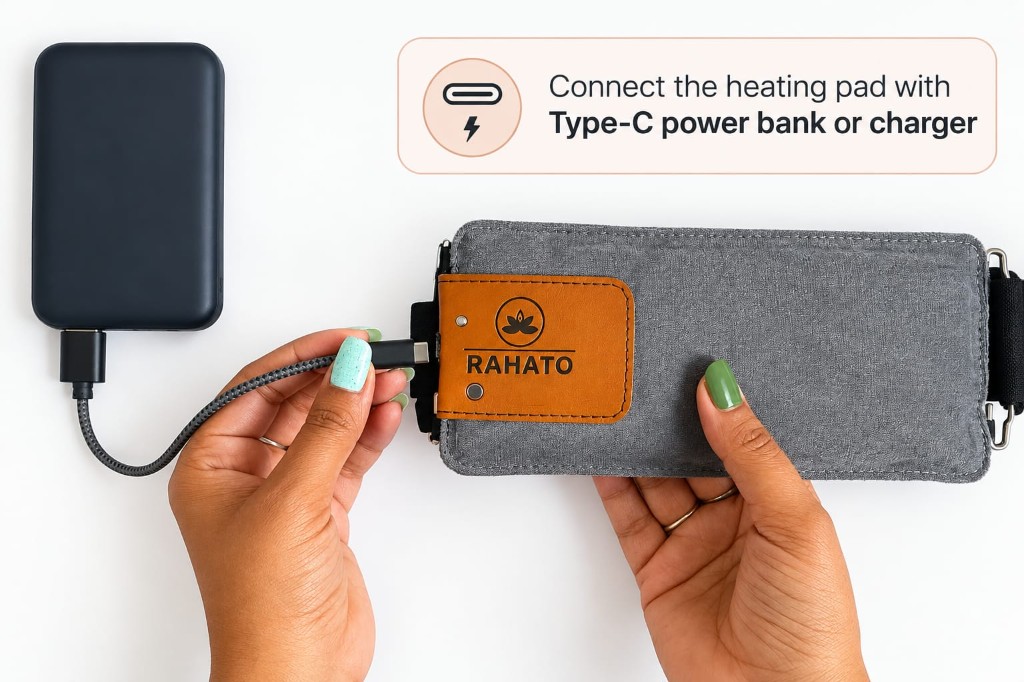 Step 1
Connect power
Plug the heating pad into a Type-C power bank or charger using the included USB cable.
-
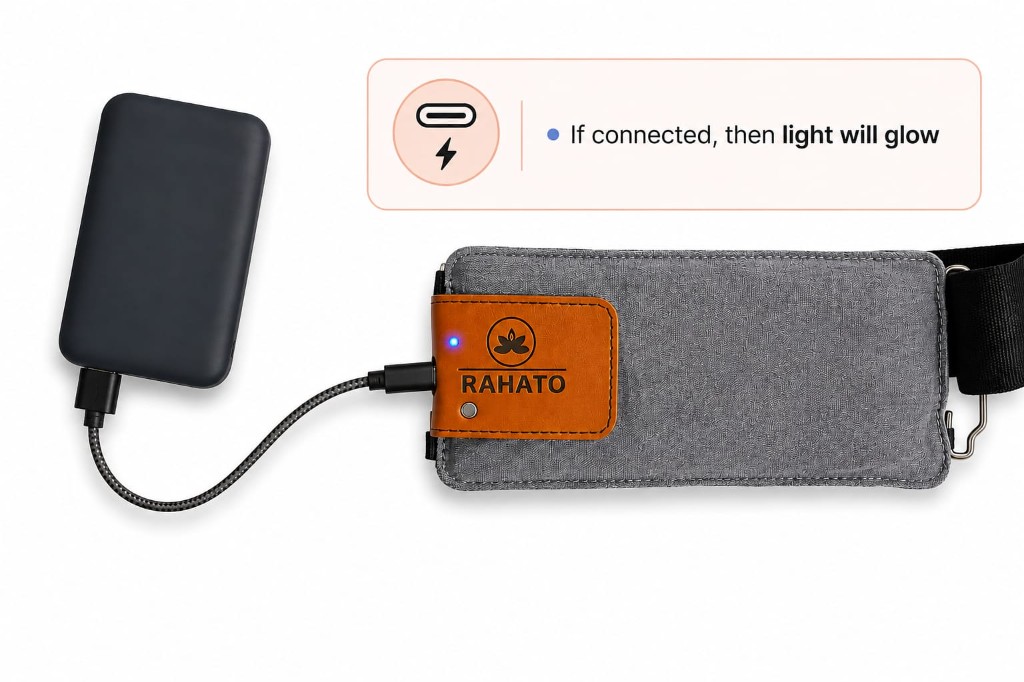 Step 2
Check the indicator light
When connected correctly, the indicator light will glow on the leather patch — your device is ready.
-
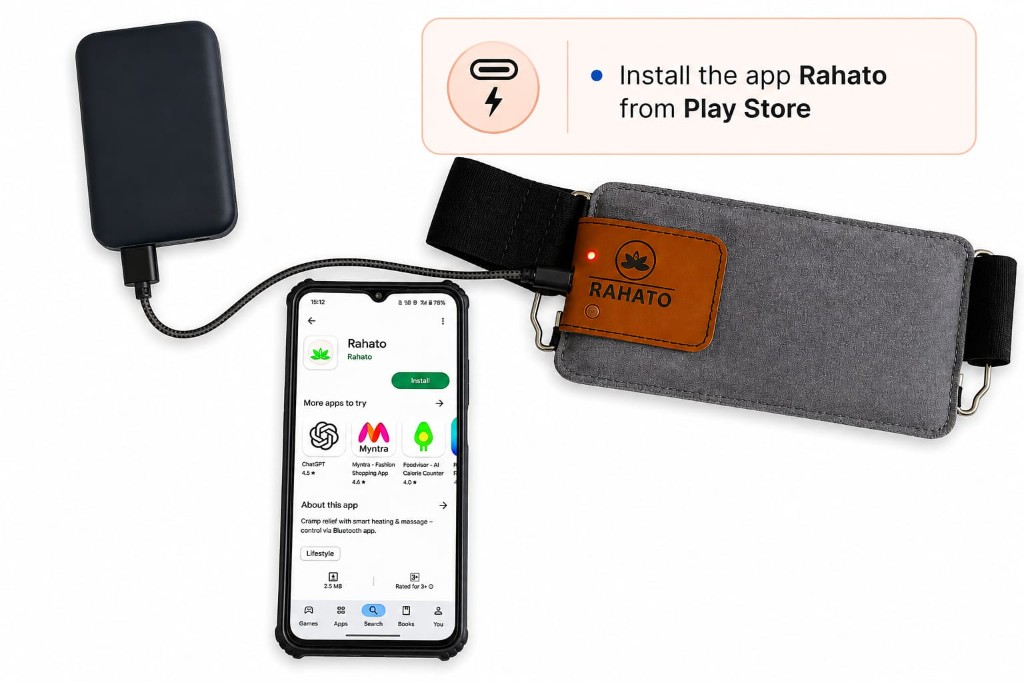 Step 3
Install the Rahato app
Download Rahato from the Play Store (Android) or App Store (iOS) on your phone.
Download the Rahato app
-
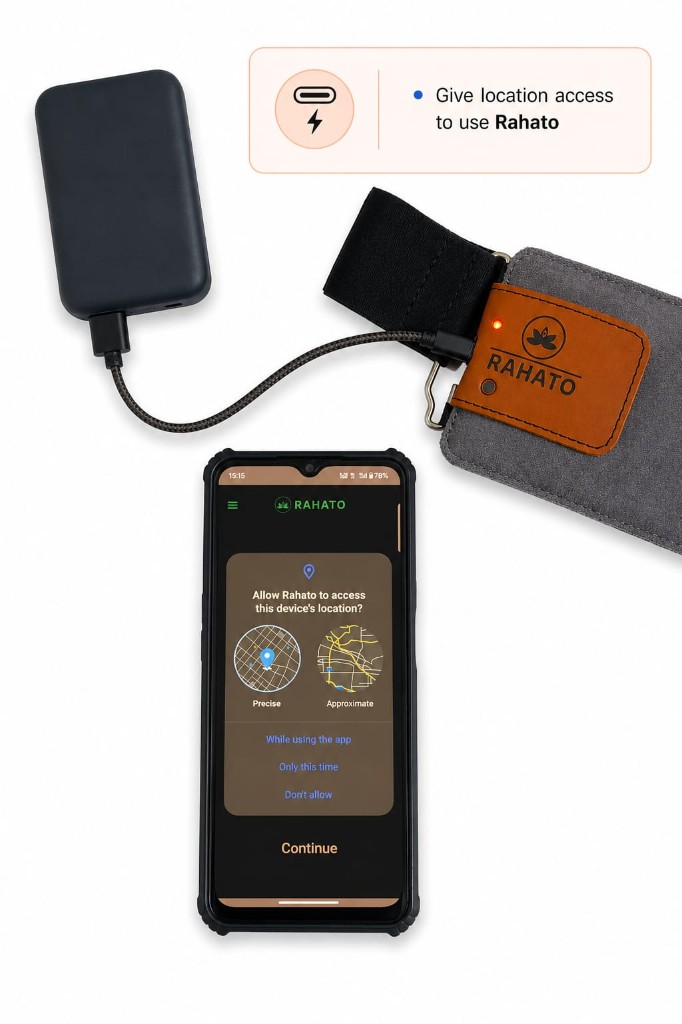 Step 4
Allow location access
When prompted, tap Allow so the app can discover your Rahato device nearby.
-
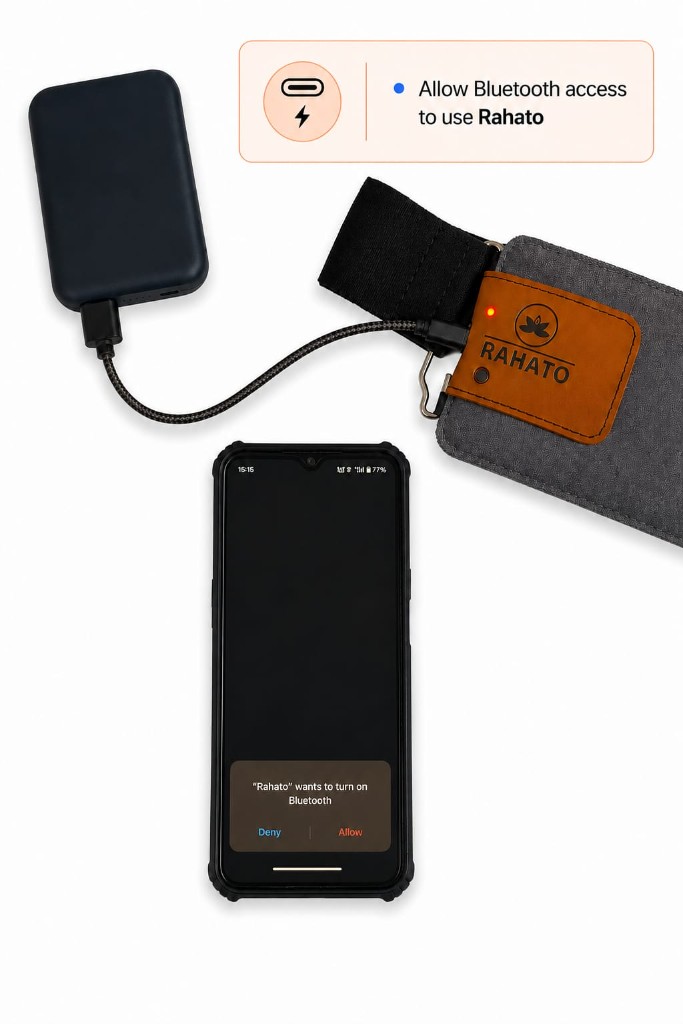 Step 5
Allow Bluetooth access
Enable Bluetooth when the app asks — this connects your phone to the heating pad.
-
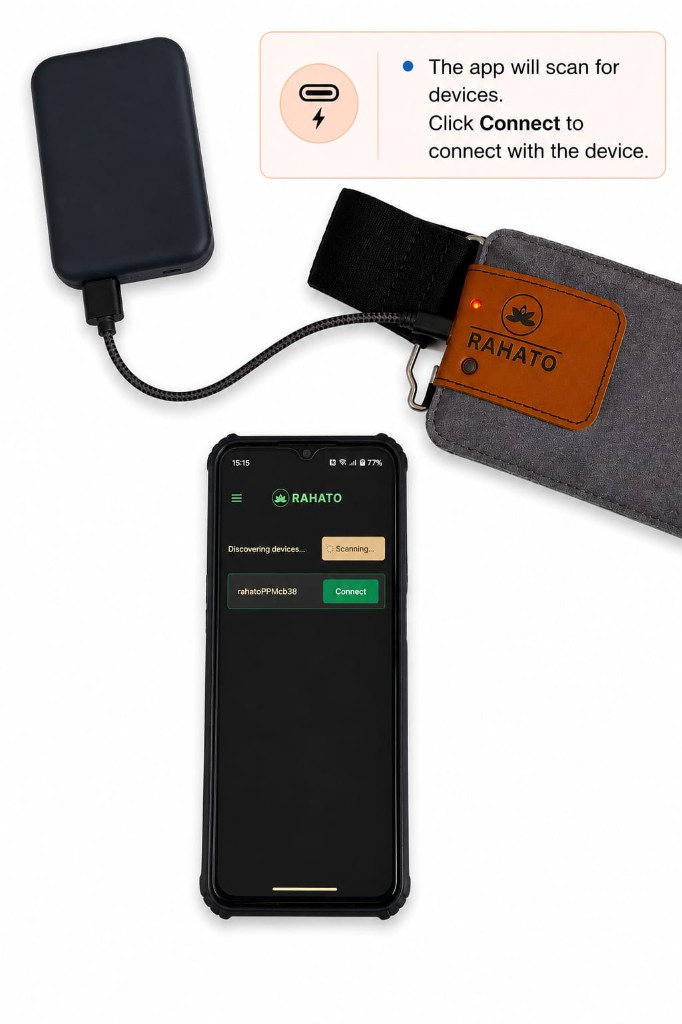 Step 6
Connect your device
The app will scan for devices. Tap Connect next to your Rahato PPM to pair.
-
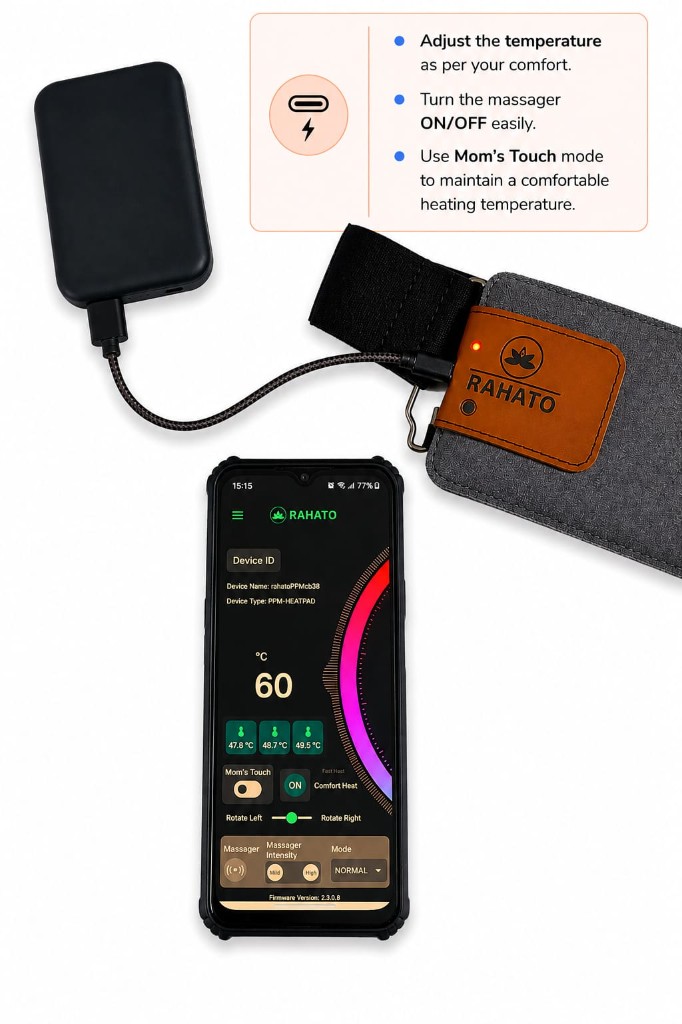 Step 7
Use the app controls
Once connected, control heat and massage directly from the app — adjust everything to match what feels best for you.
- Comfort Mode — gentle, steady warmth for everyday relaxation.
- Fast Mode — quicker heating when you need relief sooner.
- Super Fast Mode — heats up in about 10 seconds for urgent comfort.
- Mom’s Touch — keeps a comfortable temperature automatically.
- Massager — tap the massager option to turn it ON/OFF, then open Massager Mode to unlock all massage patterns and choose the one you prefer.
Use without the app
No phone? No problem. Control heat and massage using the button on the device — but only when the app is disconnected.
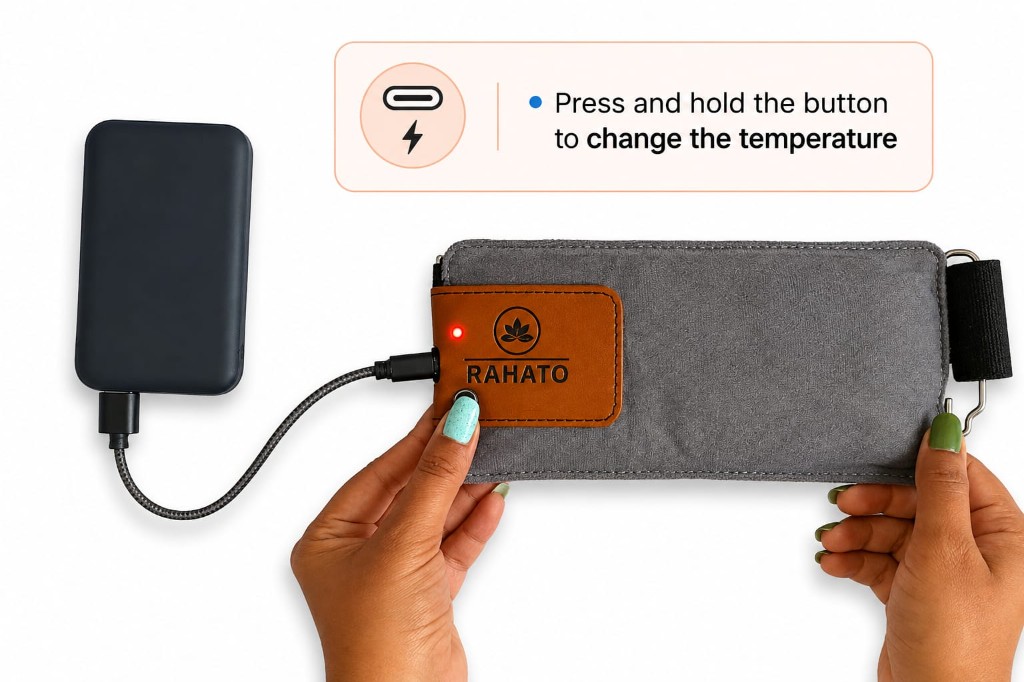
Check the LED first
- Blinking LED — app is not connected. Manual mode works.
- Steady glowing LED — app is connected. Manual mode will not work. Disconnect the app first.
Change temperature
Press and hold the manual button for 3–4 seconds, then release. The LED colour shows your setting:
Massager on / off
- Double tap the manual button — massager turns ON.
- Double tap again — massager turns OFF.
The heat mode you last set in the app (Comfort, Fast, or Super Fast) stays active after disconnect — manual controls work with that same mode.
How to wear & adjust the belt
Attach the belt to the heating pad and adjust it for a secure, comfortable fit.
-
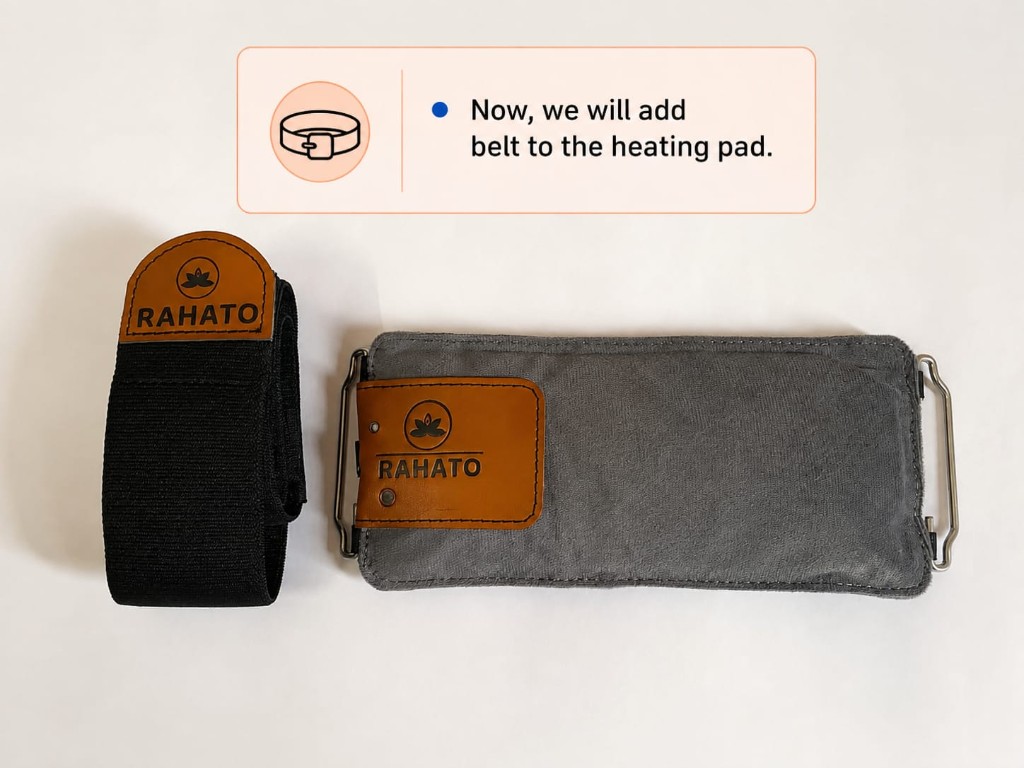 Step 1
Add the belt to the pad
Take the belt and the heating pad — you will connect them using the metal loops on each side.
-
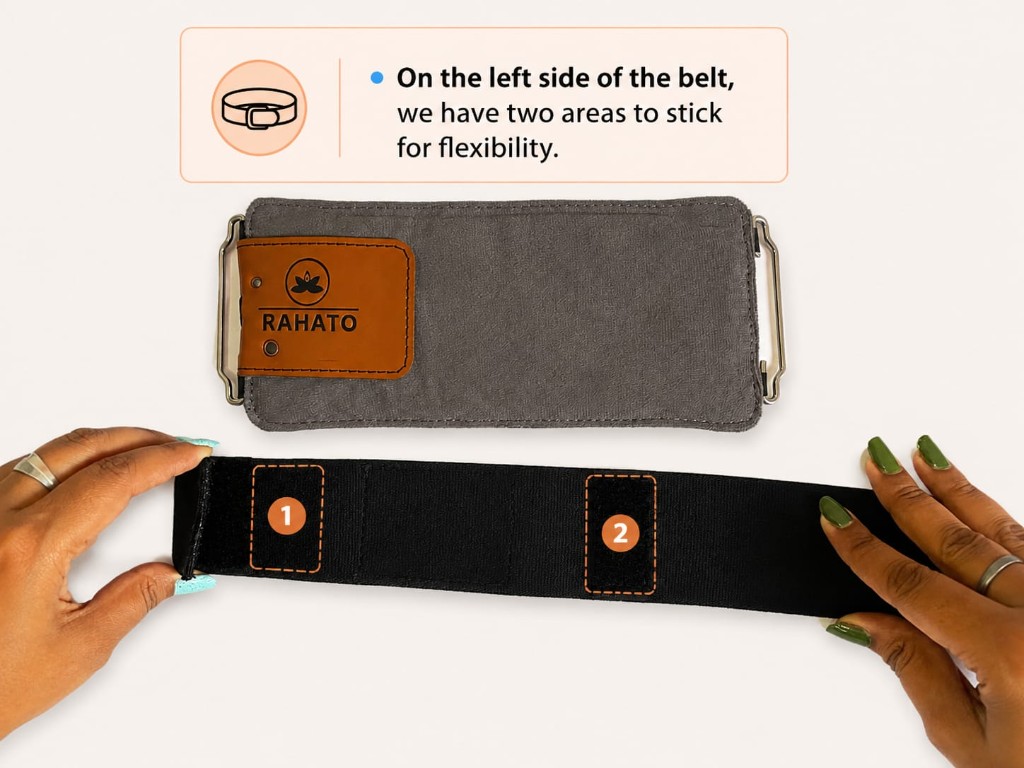 Step 2
Left side adjustment areas
On the left side of the belt there are two sticking areas — use them to adjust length and fit.
-
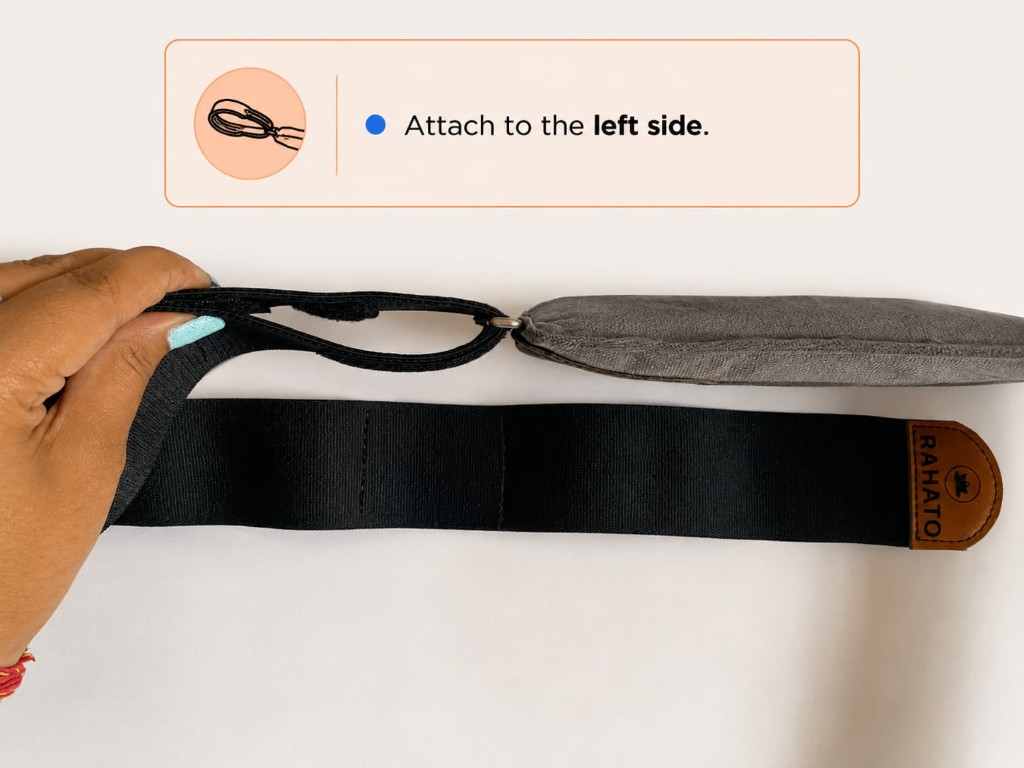 Step 3
Attach to the left side
Thread the belt loop through the left metal ring on the heating pad and secure it.
-
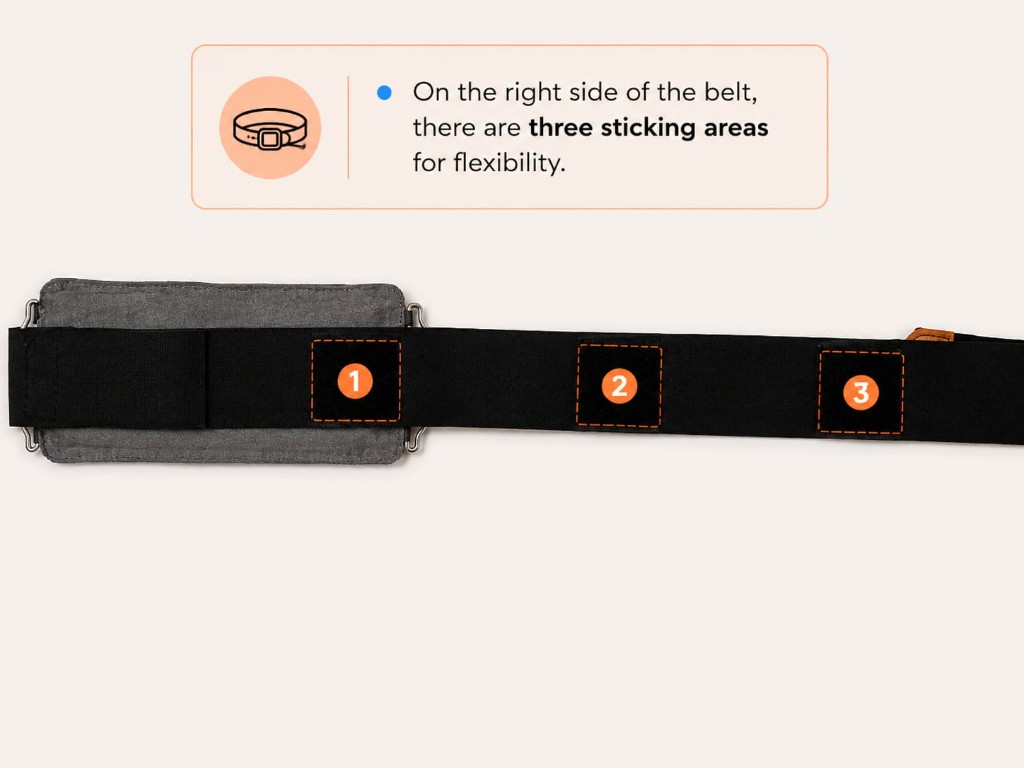 Step 4
Right side adjustment areas
On the right side there are three sticking areas for extra flexibility — pick the one that fits best.
-
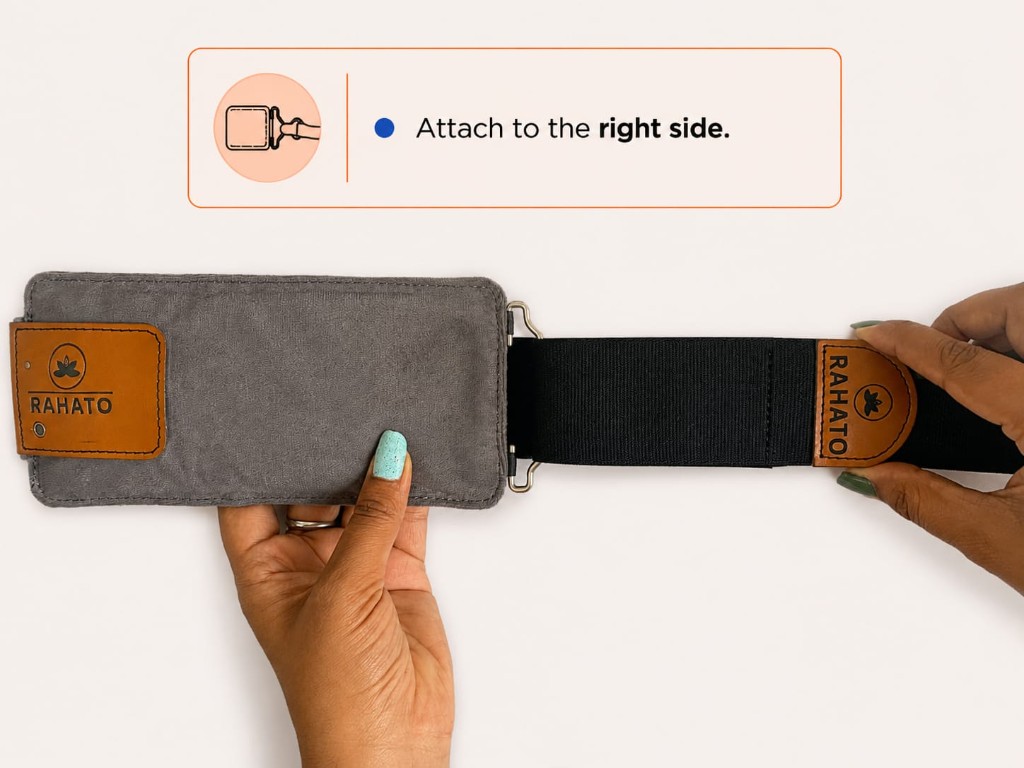 Step 5
Attach to the right side
Hook the belt to the right metal ring on the pad and fasten the Velcro for a snug fit.
-
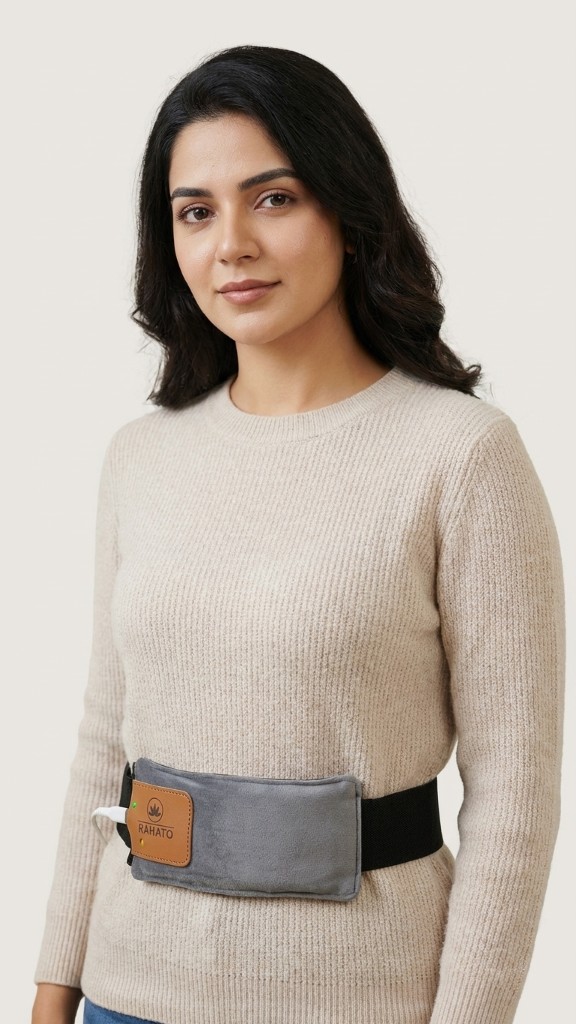 Step 6
Ready to wear
This is how your Rahato PPM looks after attachment — wrap it comfortably around your waist and enjoy relief.
Watch the video or download PDF
Watch how to use Rahato PPM
Quick walkthrough — power on, connect the app, and wear the belt.
Watch on YouTube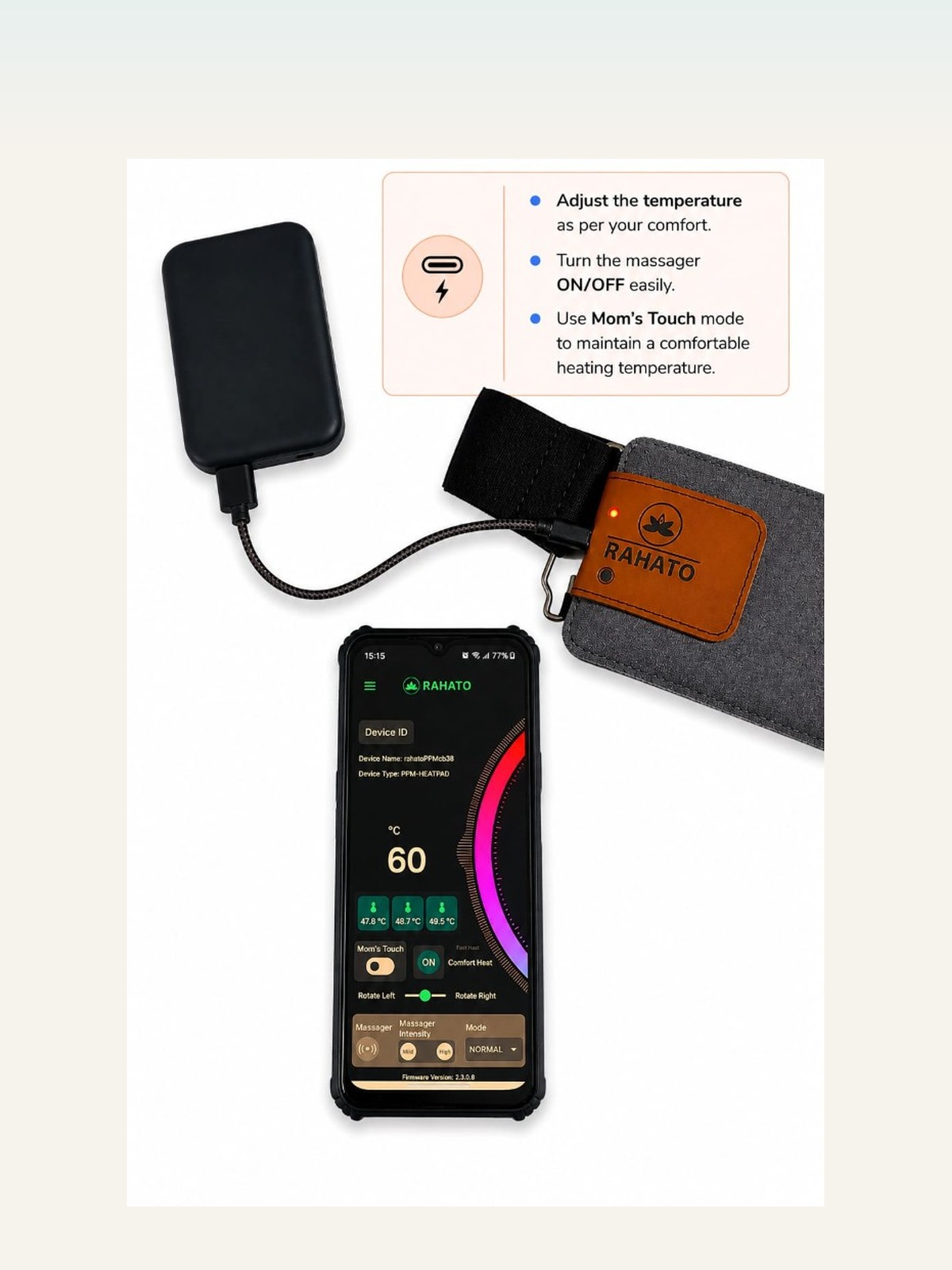
Full user manual PDF
Save all steps in one printable file for offline use.
Download PDFNeed more help?
Our team is happy to assist with setup, app pairing, or any questions about your Rahato PPM.